What Is a Passkey? Definition, How It Works, and Standards
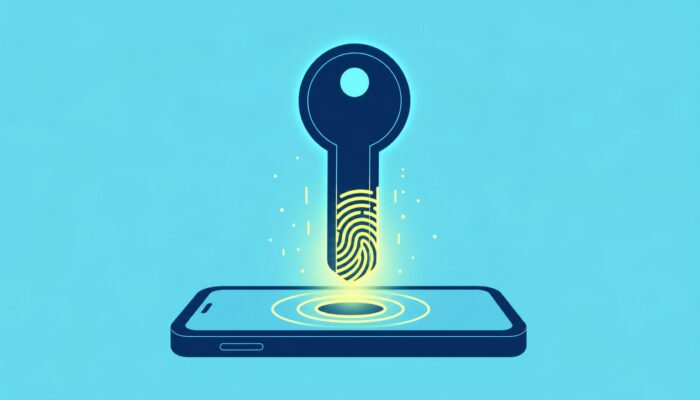
What is a Passkey? A Passkey is a cryptographic login key built on the FIDO2 standard (Fast Identity Online version 2) that replaces passwords. It consists of a key pair: the public key is stored on the service, while the private key stays on the user’s device and is never transmitted. Because the Passkey is bound to the service’s domain, phishing attempts technically fail.
Key Takeaways
- Principle: Public-key cryptography with challenge-response. The private key never leaves the device; unlocking is performed locally via biometrics or PIN.
- Phishing Resistance: The Passkey is bound to the exact domain. There is no secret that a user could enter on a fake page.
- Standards: Passkeys rely on FIDO2 (Fast Identity Online version 2), the combination of the W3C WebAuthn specification and the FIDO CTAP protocol.
How a Passkey Works
When registering, the device creates a unique key pair for each service. The service stores only the public key. During every login, it sends a challenge that the device signs with its private key, and the service verifies the signature. The signature is released only after local verification, using a fingerprint, facial recognition, or PIN. Biometric data remains on the device just like the private key.
In practice, companies encounter two variants. Synchronized passkeys are stored in a credential manager such as Apple’s or Google’s password manager and are end‑to‑end encrypted across all of the user’s devices. Device‑bound passkeys remain permanently on a single authenticator, typically a FIDO security key. They cannot be copied.
WebAuthn (W3C) plus CTAP (FIDO Alliance): the two standards behind every passkey
Quelle: FIDO Alliance
Why Phishing Falls Flat
Phishing resistance isn’t a marketing claim. It arises from the architecture. A passkey is bound at creation to the service’s origin – that is, its exact domain. Browsers and operating systems only release the credential to that precise domain. A convincingly realistic copy of the login page on a foreign domain simply receives no signature.
Moreover, there is no shared secret. Passwords and one‑time codes can be intercepted in real time by an attacker via a phishing proxy and forwarded. With a passkey, there’s nothing for the user to enter or forward. The BSI therefore describes passkeys as a secure alternative to passwords and has issued a technical guideline (TR-03188) for server‑side implementation.
What Companies Need to Verify Now
The transition starts with an inventory: Which applications still rely on passwords, and where do credential‑stuffing and phishing cause the most damage? Based on that, decide which services to migrate to WebAuthn first and how recovery will be handled in the event of lost devices.
VERIFY NOW
- ✓Inventory login procedures and assess phishing risks per application
- ✓Deploy a WebAuthn‑ready passkey server or select a provider, reference: BSI TR‑03188
- ✓Launch a pilot with selected user groups, keep password login as a parallel fallback
- ✓Define recovery rules: synchronized or device‑bound, backup keys for critical accounts
- ✓Eliminate weak fallbacks, otherwise password resets undermine passkey security
Distinguishing Related Terms
FIDO2 is the umbrella term for two components. WebAuthn is the W3C specification that enables browsers and services to create and verify credentials. CTAP governs the communication between the client and the authenticator, such as a security key. A passkey is the resulting credential.
What fundamentally distinguishes the passkey from a classic second factor is that one-time codes via SMS or authenticator app remain phishable because they can be intercepted and forwarded in real time. A hardware key such as a YubiKey, on the other hand, is not opposed to a passkey: It serves as a storage location for device-bound passkeys and additionally provides manufacturer attestation for high security requirements.
Frequently Asked Questions
Every question is locked. A tap unlocks the answer.
What happens if a device is lost?
Synchronized passkeys can be restored via the Credential Manager on a new device. For device-bound passkeys, a backup key or a recovery process with the service is required.
Are Passkeys more secure than passwords plus MFA?
Yes, against phishing. One‑time codes and push confirmations can be intercepted via real‑time relays, and a passkey simply fails to generate a signature on a foreign domain. The FIDO Alliance therefore rates a passkey higher than a password plus a traditional second factor.
Do Passkeys work everywhere?
All common operating systems and browsers support it, logging in via a second device works via QR code and Bluetooth proximity verification. Each service must offer WebAuthn itself, and many still don’t.
How does a passkey differ from a YubiKey?
The passkey is the credential, and the YubiKey is a physical storage location for it. Hardware keys keep passkeys device-bound and provide attestation, suitable for environments where only a single copy of the key is allowed.
Can passkeys be transferred to another provider?
Within an ecosystem like iCloud or Google Password Manager, synced passkeys automatically migrate. Direct export between different providers is only partially possible so far, and device-bound passkeys cannot be copied.
Editor’s Picks
Editor’s PickPasskeys in the Enterprise: The End of the PasswordEditor’s PickAdaptive MFA in the NIS2 Audit: When the Policy is Suitable as ProofEditor’s PickSecurity Awareness: The Click Rate Measures the Wrong Thing



More from the MBF Media Network
cloudmagazinEight Minutes to AWS Admin: How an Open S3 Bucket and an Admin Lambda Were All It TookMyBusinessFutureAI Action Month: Cyber Analytics for SMEs Without IT TeamsDigital ChiefsManaged Security Services: CISO Does Not Bear Sole Liability